Find unexpected defects
Anomaly models learn normal product appearance and flag deviations with an image result and a calibrated heatmap. Evaluate with held-out defect examples.
See the anomaly workflow →Industrial inspection
Train anomaly models from normal product images, fine-tune detection and segmentation models for known targets, and combine results with tracking, regions, and counters in camera pipelines.
Choose the visual task
Anomaly models learn normal product appearance and flag deviations with an image result and a calibrated heatmap. Evaluate with held-out defect examples.
See the anomaly workflow →Fine-tune detection or segmentation models with labeled examples when the target categories are known and need precise locations.
Explore model training →Track detections, count line crossings, and measure time inside selected regions as items move through a workflow.
Explore embedded applications →01 · Anomaly detection
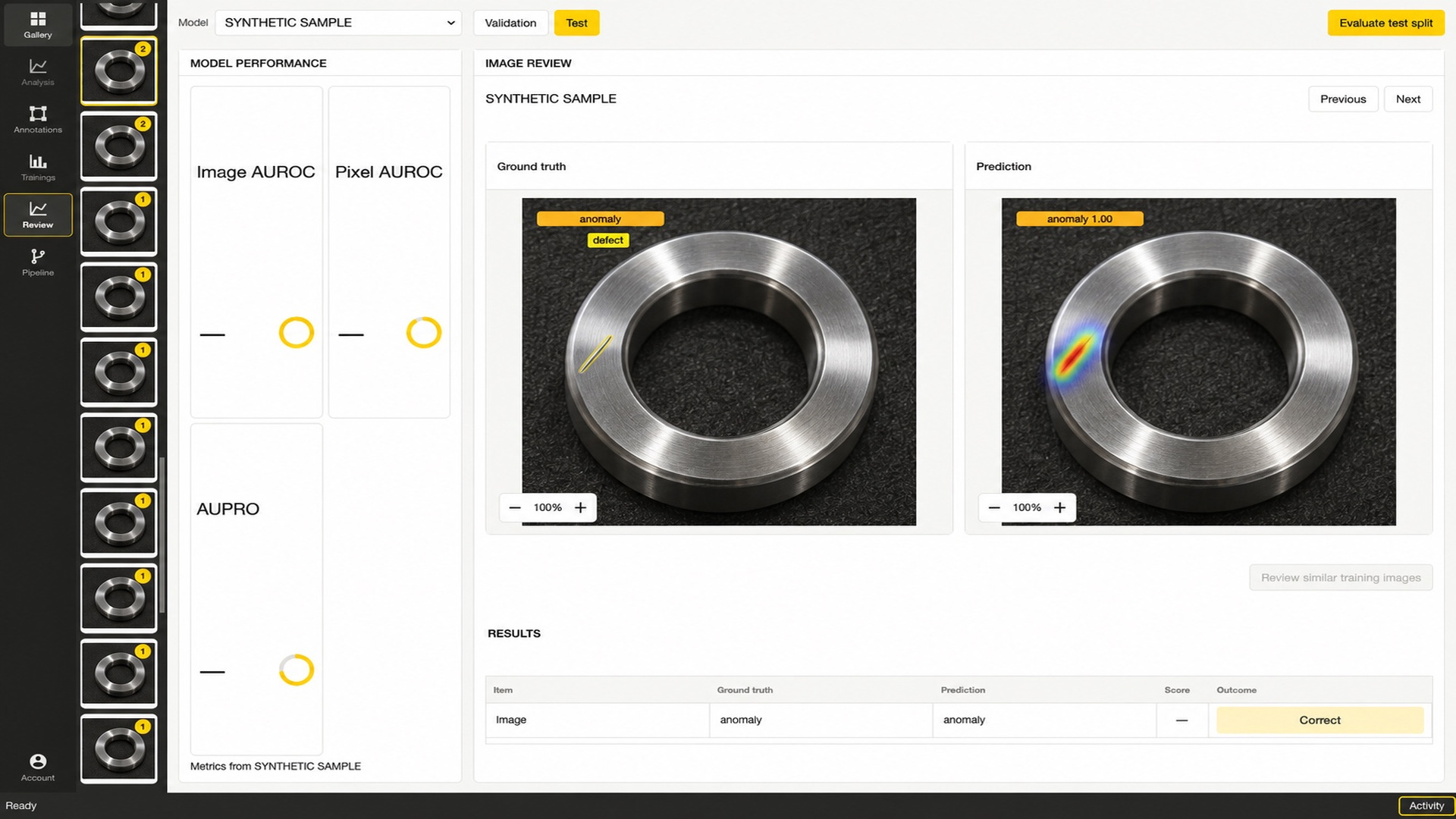
Vision Studio supports PatchCore, EfficientAD, Dinomaly, and SubspaceAD. Normal images are used for model fitting and threshold calibration. Hold out normal and defect examples for image-level evaluation; defect boxes or polygons are optional and enable pixel-level localization metrics.
Review the predicted normal or anomaly label and calibrated heatmap. Compare image-level AUROC and, when defect regions are labeled, pixel AUROC and AUPRO on held-out data. The values depend on the dataset and split; results on a sample image do not establish production performance.
02 · Application development
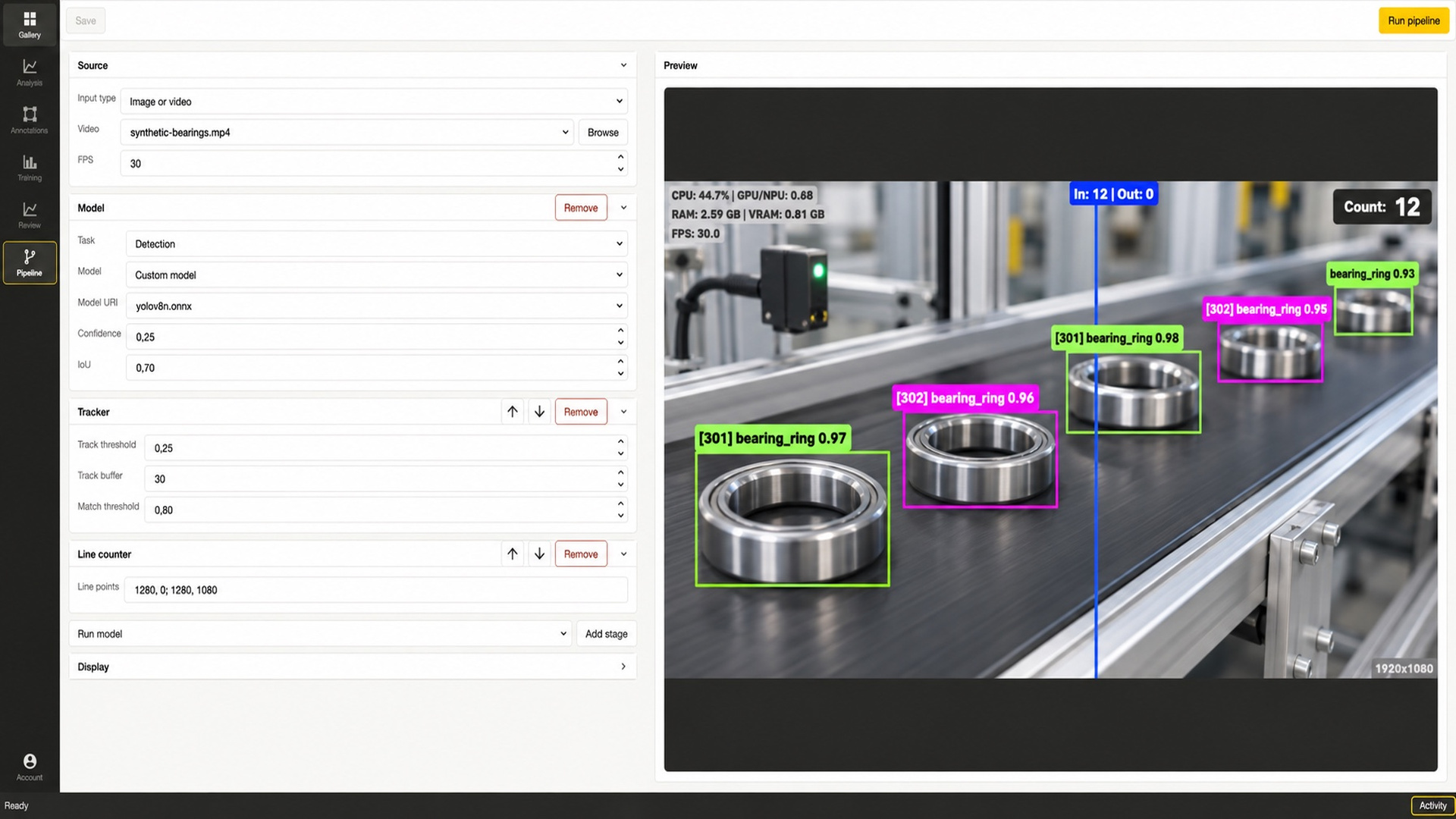
A trained model can be one stage in a larger application. Compose camera, stream, image, or video sources with detection or anomaly inference, then add tracking, region filters, line counters, or region timing.
Vision Studio configures and previews the workflow. Use embedded vision tools to develop a custom local application, with model and target hardware compatibility validated for the deployment.
03 · Project evaluation
Camera position, lighting, product orientation, acceptable variation, line speed, and the cost of missed or false alerts affect the inspection design. Test with representative normal and defective examples, then measure performance and latency on the intended hardware.
For a first evaluation, prepare sample images or video, camera and lighting details, known defect examples, and the decision the system should support.
Share representative product images or video, camera conditions, line speed, and target hardware. We can identify a practical first evaluation.