Workflow
From camera footage to queue metrics
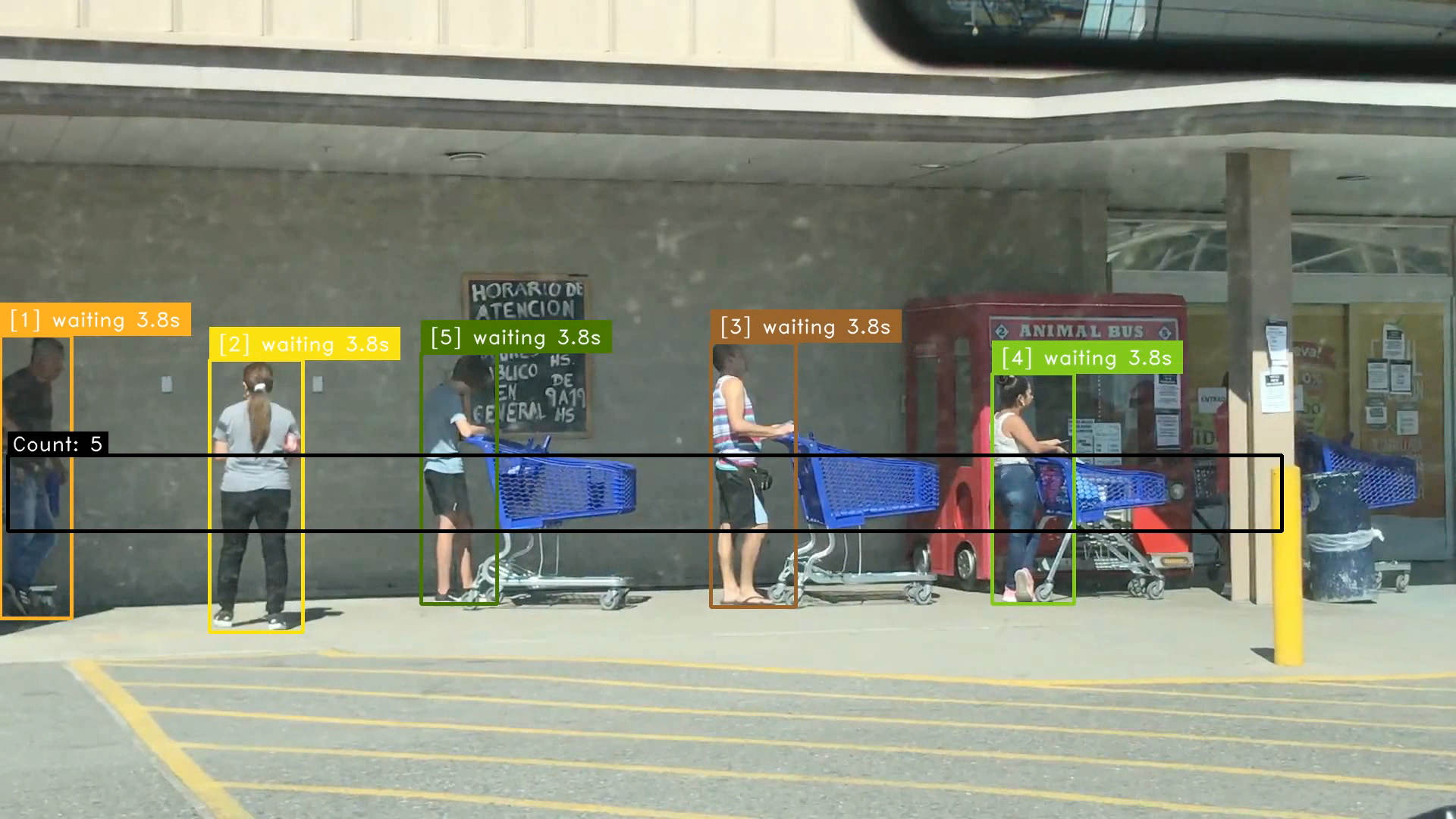
A typical pipeline reads a video or camera stream, detects people, associates detections across frames, and checks which tracks enter a defined region. A line counter can measure crossings; a region timer can measure how long tracked objects remain inside a polygon.
The Vision SDK includes these stages, and Vision Studio can be used to configure and preview a pipeline. Explore the SDK.
Measurement
Define what the numbers mean
Region dwell time is a useful signal, but it is not automatically the same as a person’s actual wait time. A production queue metric depends on camera geometry, track continuity, the queue boundary, and how passers-by are excluded.
Validate the chosen count or timing metric against observations from the actual site before using it for staffing or alerts.
Deployment
Process video near the source
A local deployment can keep the processing pipeline close to the camera. Model choice, resolution, frame rate, hardware, and privacy requirements are selected for each installation.
See embedded vision solutions for the broader deployment approach.
Bring your vision problem to us
Tell us about the images, sensor, operating environment, and decision you want the system to support. We can identify a practical first evaluation.