01 · Organize
Start from a dataset
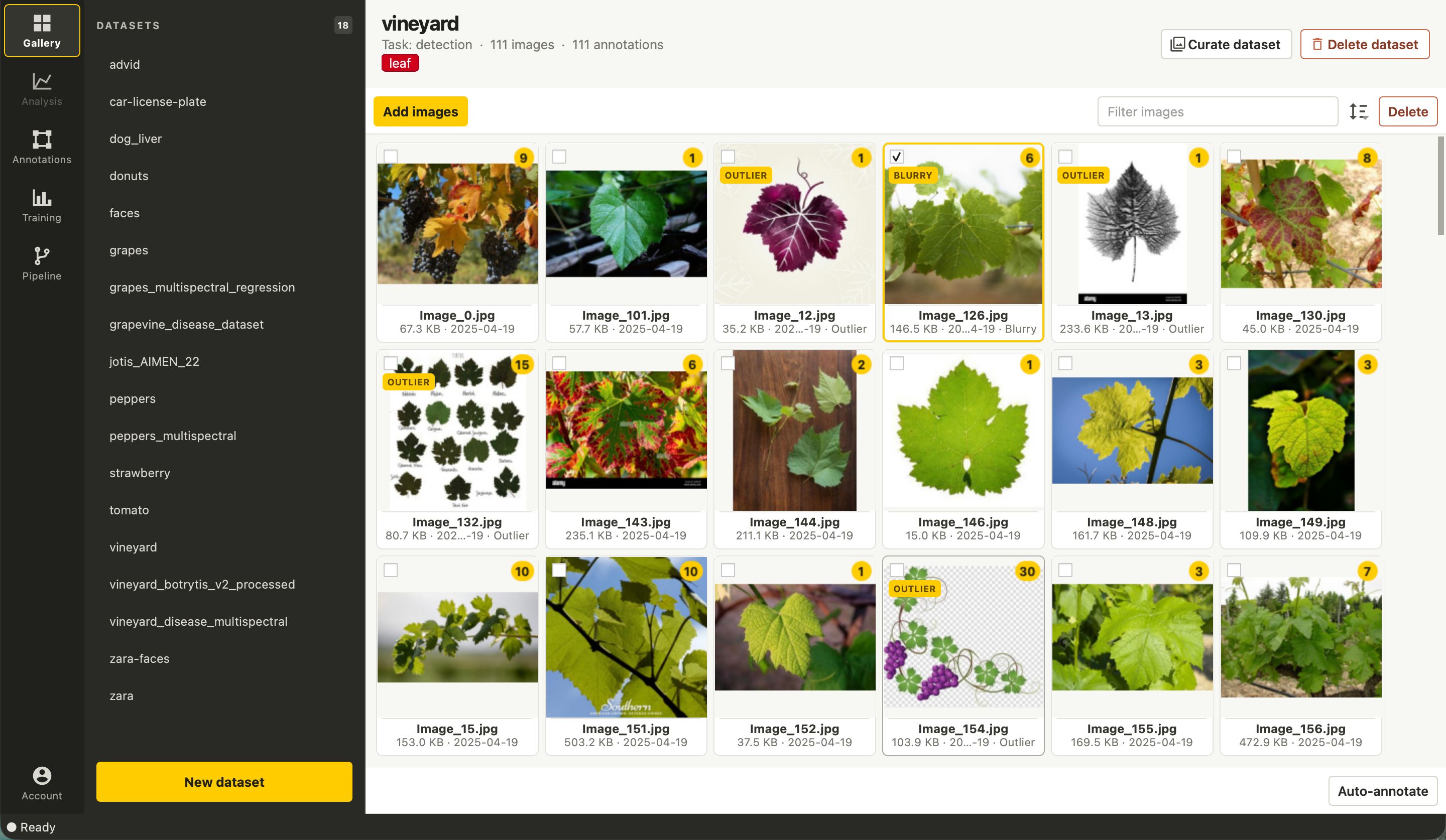
Browse projects and images in the Gallery. Review image metadata and annotation counts, filter or sort images, and open an image without losing the selected dataset.
For RGB datasets, Studio can scan for duplicate, unreadable, blurry, exposure, and outlier findings. The scan reports issues for review; it does not remove images automatically.
02 · Annotate
Create training data with review in the loop
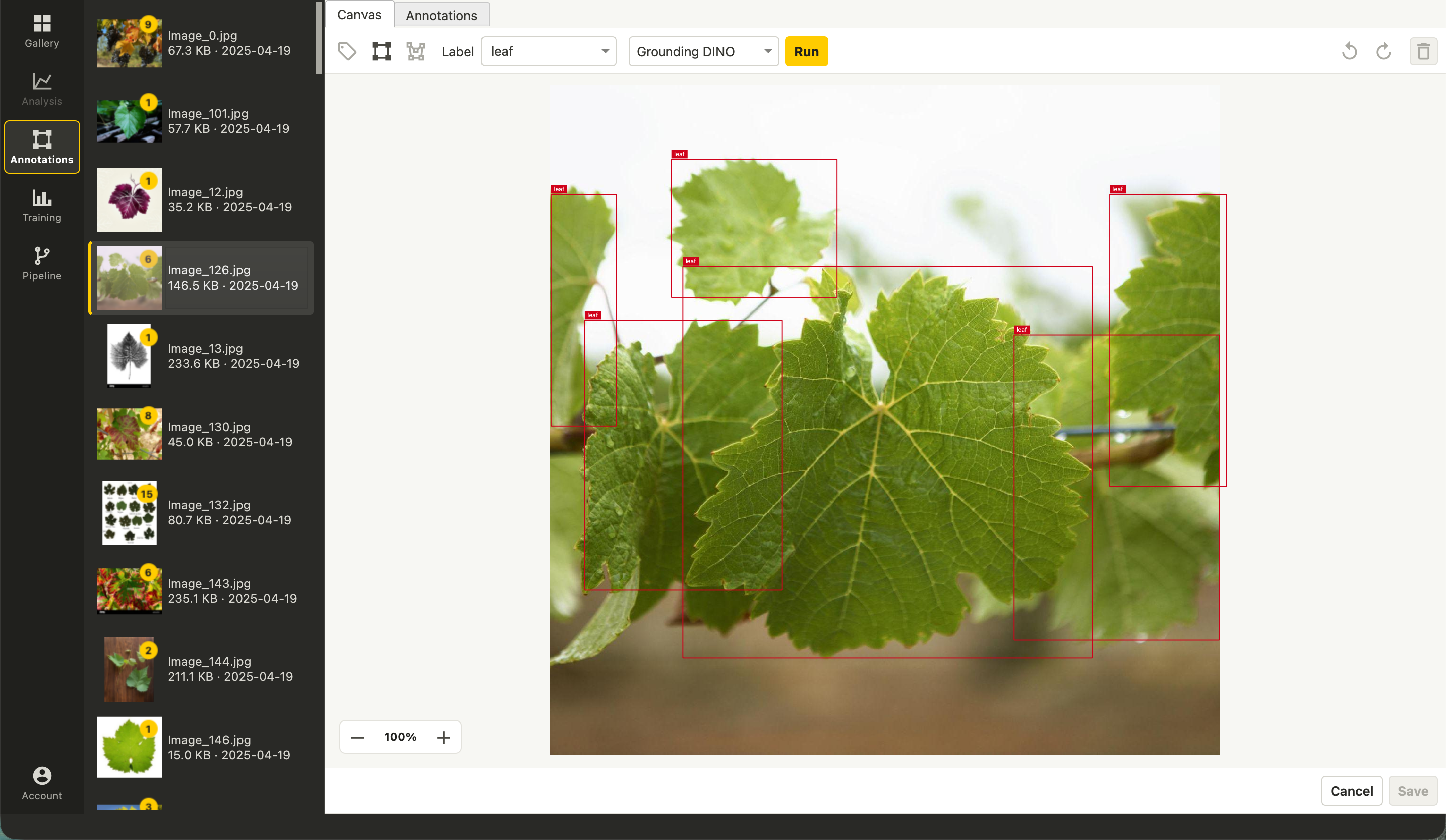
Add image labels, boxes, or polygons and edit the shapes on the canvas. Available model suggestions can accelerate labeling, while the saved annotations remain under your control.
Dataset-wide annotation tables help review labels and numeric target fields across images.
03 · Analyze
Explore the information in spectral bands
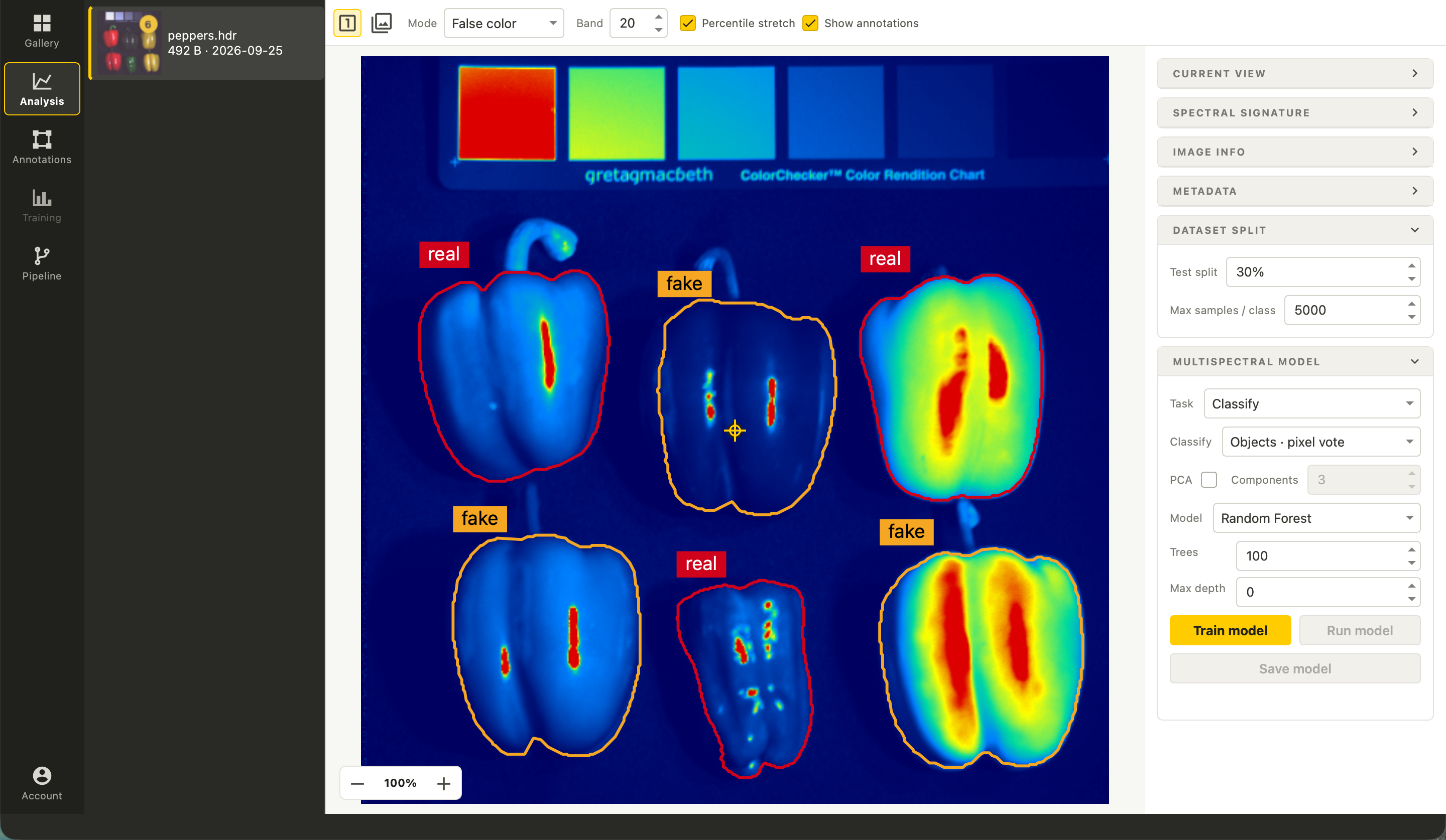
View true color, color infrared, PCA, individual bands, and custom composites where the source data supports them. Click a pixel to inspect its spectral signature and review source metadata.
For annotated spectral scenes, train a pixel classifier or object-level classifier or regressor. Wavelength-dependent indices appear only when the metadata contains the bands they require.
04 · Train
Evaluate an image model
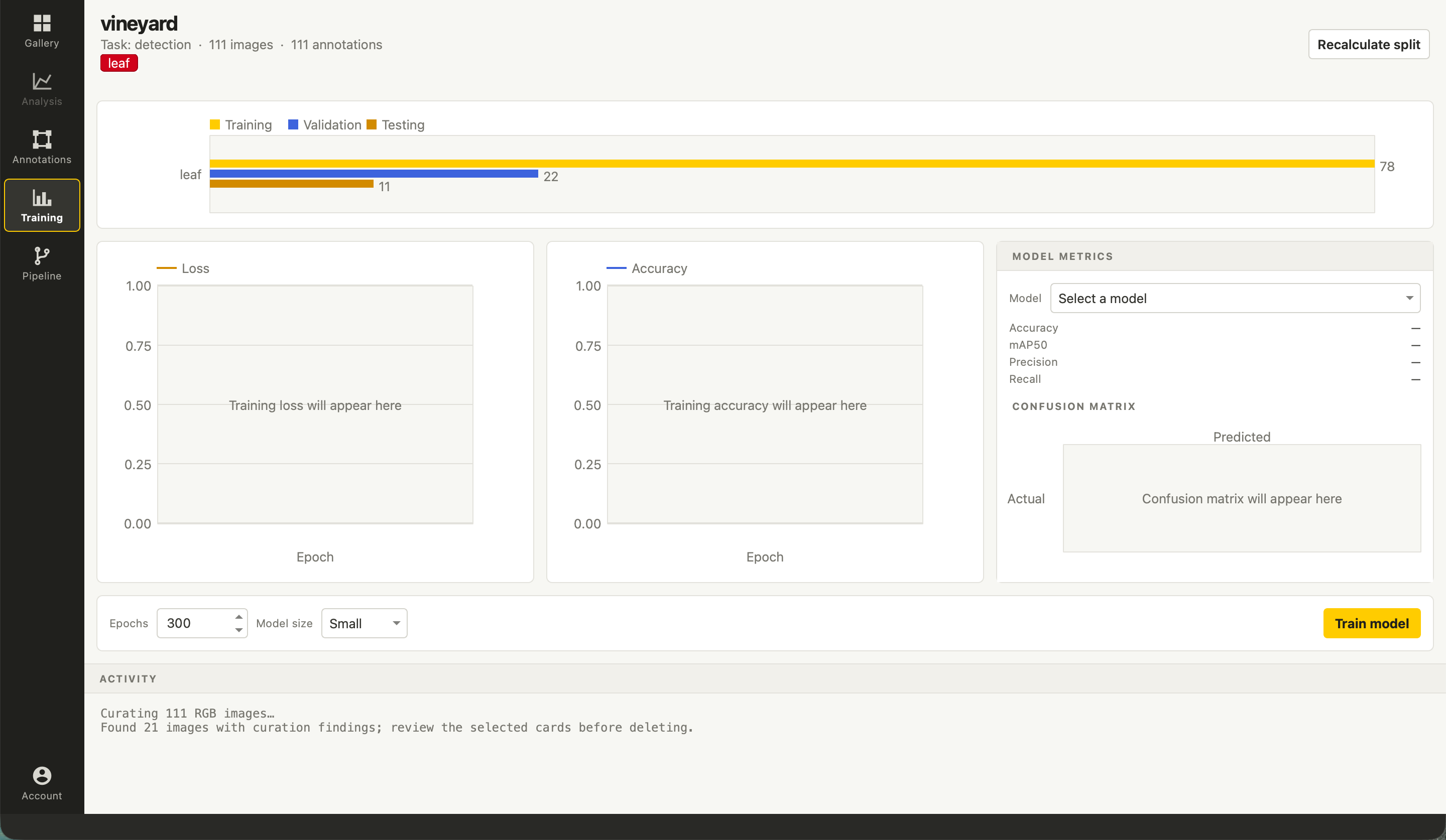
For supported annotated RGB datasets, train classification, object detection, or instance segmentation models. Review the split preview, training progress, and evaluation metrics before using a model in a pipeline.
Spectral classification and regression are available in the Analysis workflow; the RGB Training workflow is a separate task-specific path.
05 · Test
Compose a pipeline and inspect its output
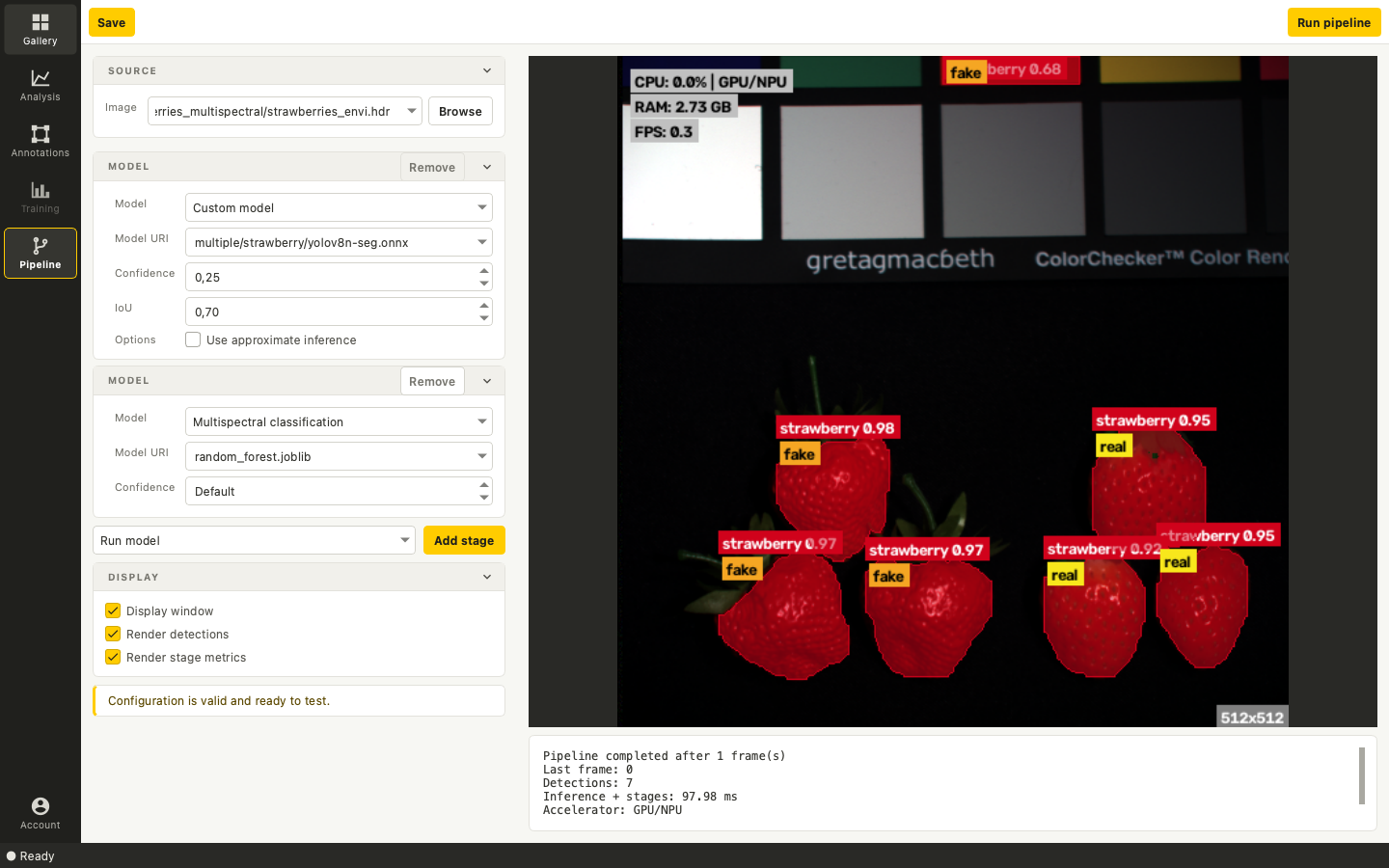
Run a camera, stream, image, video, or supported spectral source through ordered stages. The pipeline can include a model, filtering, cropping, tracking, line counting, region filtering, and region timing.
For a multispectral scene, an RGB detector can find objects before a later stage classifies their spectral crops. The example shown uses one strawberries scene; performance on new data must be evaluated for each project.
Getting started
A workbench for technical teams
Studio is a desktop application. Remote datasets and models use a configured Abraia account; contact us to discuss access and a suitable workflow for your team.
Tell us about your data, sensor, and intended outcome to discuss how Studio fits your workflow. For developers building custom inference applications, see the Vision SDK.
Bring your vision problem to us
Tell us about the images, sensor, operating environment, and decision you want the system to support. We can identify a practical first evaluation.